How to Write Internal Memos Faster with an AI Memo Generator
You've got 8 minutes before the all-hands. Your memo — the one explaining the Q3 pivot, the new process, the staffing change — is still three paragraphs of rambling notes in your drafts folder. You know what needs to happen. You're just out of time to make it clear.
Most professionals treat memo writing as a typing problem when it's actually a clarity-under-pressure problem. An ai memo generator doesn't replace the thinking — it removes the writing bottleneck so the thinking can happen on time.
This guide shows the exact inputs, decision rules, and templates that turn a 45-minute memo grind into a 6-minute draft-and-ship workflow.
Table of Contents
- Why Internal Memos Still Beat Slack Threads for High-Stakes Decisions
- The Three Memo Failures That Cost You 45 Minutes Per Document
- The Exact Prompt Structure That Stops AI Memos From Sounding Generic
- When to Edit the AI Draft vs. Regenerate From Scratch
- Building a Memo Template Library Your AI Memo Generator Actually Learns From
- Six Ways AI Memo Generators Make You Look Bad (And How to Avoid Each)
- Your Memo Speed Audit — Five Questions Before You Open the AI
Why Internal Memos Still Beat Slack Threads for High-Stakes Decisions
The internal memo isn't a relic. It's the format that survives because nothing else does the same job under pressure. Before you optimize how you write one, it helps to understand why the format matters at all — and why chat tools can't replace it.
Memos are accountability artifacts. Slack threads scroll into oblivion within 48 hours. Search them in three months and you'll find half the context missing, key decisions buried in emoji reactions, and the pivotal message edited or deleted. A memo creates a single referenceable document with a date, an author, and a fixed scope. According to Brian Wray of the Canada School of Public Service, the memo remains the de facto record for institutional decisions precisely because it concentrates intent into a citable artifact — something a thread of replies cannot do.
Memos force clarity. Writing a memo exposes gaps in thinking that conversation lets you skate past. The act of structuring a one-page document — situation, decision, rationale, next step — surfaces the questions you haven't answered yet. Anyone who has ever sat down to write a "simple" announcement and discovered they don't actually know the effective date, the affected team list, or the escalation path knows this experience. The memo is a thinking tool disguised as a writing tool.
Async at scale. Distributed and hybrid teams don't read Slack in real time. A memo respects time zones and attention. Frontline workers, remote staff, and execs all consume the same canonical version on their schedule — not the version that happens to be at the top of #general when they log in. For any organization where more than 20% of the workforce isn't synchronously online, memos aren't a stylistic preference. They're an operational requirement.
The legal and compliance trail. Decisions about staffing, policy, comp, and process need a written record. A memo dated and stored in a structured location is defensible in a way a Slack thread is not. HR, legal, and compliance teams generally prefer memos for material decisions for the same reason auditors prefer ledgers over scratch paper: structure is recoverable, conversation is not.
So if memos are this useful, why do people skip them? Four reasons. No template means starting from a blank page every time. Fear of looking verbose makes professionals over-edit before they've written anything. The blank page itself is paralyzing — staring at "Subject:" with the cursor blinking is its own productivity sink. And time scarcity finishes the job: by the time you've talked yourself into writing the memo, you have eleven minutes before the meeting where it's supposed to be referenced.
This is where the ai memo generator earns its place. Not as a replacement for judgment, but as the tool that removes the typing tax so the thinking happens. Modern AI writing tools handle the structural scaffolding — the opening, the sectioning, the closing — so your effort goes into the parts that require human judgment: deciding what the memo should say, who needs to hear it, and what action you're asking for.
An ai memo generator isn't a writer-replacement product. It's a friction-removal product. The next sections show exactly where that friction lives — and how to remove each piece of it so you can write memos faster without sacrificing the qualities that make memos worth writing in the first place.
A memo isn't just communication. It's proof you thought something through clearly enough to explain it in writing. An AI memo generator removes the typing bottleneck so the thinking part can happen first.
The Three Memo Failures That Cost You 45 Minutes Per Document
When a 200-word memo takes 45 minutes, the time isn't going where you think. It's not the typing. It's not even the editing. The time disappears into three specific failure modes: blank-page paralysis, length creep, and tone mismatch. Each one has a different cause, a different cost, and a different fix when you bring an ai memo generator into the workflow.
| Memo Failure | What It Looks Like Manually | What Changes With AI | Where the Time Goes |
|---|---|---|---|
| Blank-page paralysis | Open doc, stare, outline, draft, delete, restart | Paste bullet notes + audience + length → first usable draft | Reduces draft-from-zero phase |
| Length creep | Write long, count words, trim, lose through-line, rewrite | Specify target word count in the prompt | Eliminates trim-and-rewrite loop |
| Tone mismatch | Draft once, read aloud, realize it's wrong, rewrite voice | Regenerate with explicit tone parameter | Removes voice-rewrite cycles |
Blank-page paralysis is the biggest single time sink — and it's not really about writing. It's about starting. The cognitive load of generating an opening sentence, then deciding whether the opening matches the rest of the memo you haven't written yet, then second-guessing the structure, eats 10–15 minutes before a single keeper sentence exists. An ai memo generator collapses this phase because it doesn't experience hesitation. You hand it bullet notes; it returns prose. The first draft might be wrong, but it's editable — and editing a wrong draft is dramatically faster than producing a right one from zero.
Length creep happens because we write to think. Manual memo writing is exploratory. You don't know what the memo says until you've written it long, then compressed it. The compression phase is where the through-line gets lost, paragraphs get rearranged, and what started as 500 words becomes 350 words that no longer say what you meant. AI inverts this — it generates to a constraint rather than discovering length organically. "200 words max" is a hard parameter, and a properly briefed ai memo generator hits it on the first pass.
Tone mismatch is the silent killer. A memo that lands wrong with the C-suite gets ignored. One that lands wrong with frontline staff erodes trust. Wray notes that AI tools require detailed prompting because AI does not reason — meaning the tone of the output is only as good as the tone specification in the input. "Professional" means nothing. "Direct, warm, no corporate hedging" means something. The same point applies broadly to AI for business content: vague briefs produce vague outputs.
A note on the specific time-savings numbers floating around vendor pages — "saves 23 minutes per memo," "70% faster," and so on. Those are unverified marketing claims, not measured data. The honest framing is qualitative: an internal memo workflow with a well-briefed ai memo generator removes the draft-from-zero phase, eliminates the trim-and-rewrite loop, and shortens voice-rewrite cycles. How much that saves you depends on which failure mode dominates your current process.
The Exact Prompt Structure That Stops AI Memos From Sounding Generic
The reason AI memos sound generic is almost never the AI. It's the prompt. Garbage in, generic out. The checklist below is the briefing structure that produces a usable first draft on the first attempt — no regeneration, no apology paragraph at the top, no "we're thrilled to announce" opener.
- State the memo's actual decision or announcement in one sentence. Not "write a memo about the new policy." Instead: "We're moving to a 4-day work week starting Sept 1, pilot for 90 days, no pay change." The ai memo generator cannot infer your decision; it can only structure the decision you give it. Vague input is the single biggest cause of generic output, and it's also the easiest mistake to fix.
- Name the specific audience. "Hourly staff" is different from "salaried managers" is different from "the executive team." Each needs different vocabulary, framing, and assumed context. A memo to engineers can use "deploy" without explanation. A memo to retail floor staff cannot. Specifying audience by role, not by team name, gives the AI the linguistic cues it needs to calibrate.
- Specify tone in concrete terms. "Professional" is meaningless — every memo is professional. "Encouraging but realistic" gives direction. "Direct, no hedging, no apologies" gives more. The more concrete the tone adjective, the less the AI defaults to corporate-flavored mush. If you can describe the tone in three adjectives that aren't synonyms, you've specified it well enough.
- Set a hard word count. AI defaults to verbose. Without an explicit cap, expect 500 words when you wanted 200. "200 words maximum, no more" is non-negotiable instruction. Most ai memo generator workflows respect this cleanly when stated this directly. The benefit isn't just length — it's that constraint forces the model to choose its strongest sentences instead of including everything.
- Provide context the AI cannot infer. Why this memo, why now, what came before, what the reader is likely worried about. According to Brian Wray at CSPS, AI tools "do not reason" — they cannot guess your org's history, your last reorganization, the rumor that's been circulating since Tuesday. If the reader's worry isn't named in the memo, it's because you didn't name it in the prompt.
- Tell the AI what to leave out. "No corporate jargon. No 'exciting opportunity.' No 'as we navigate these changes.'" Negative instructions matter as much as positive ones. Most AI writing assistant technology responds better to "do not write X" than to general "be concise" instructions. Name the specific phrases you've seen the model reach for. Ban them by name.
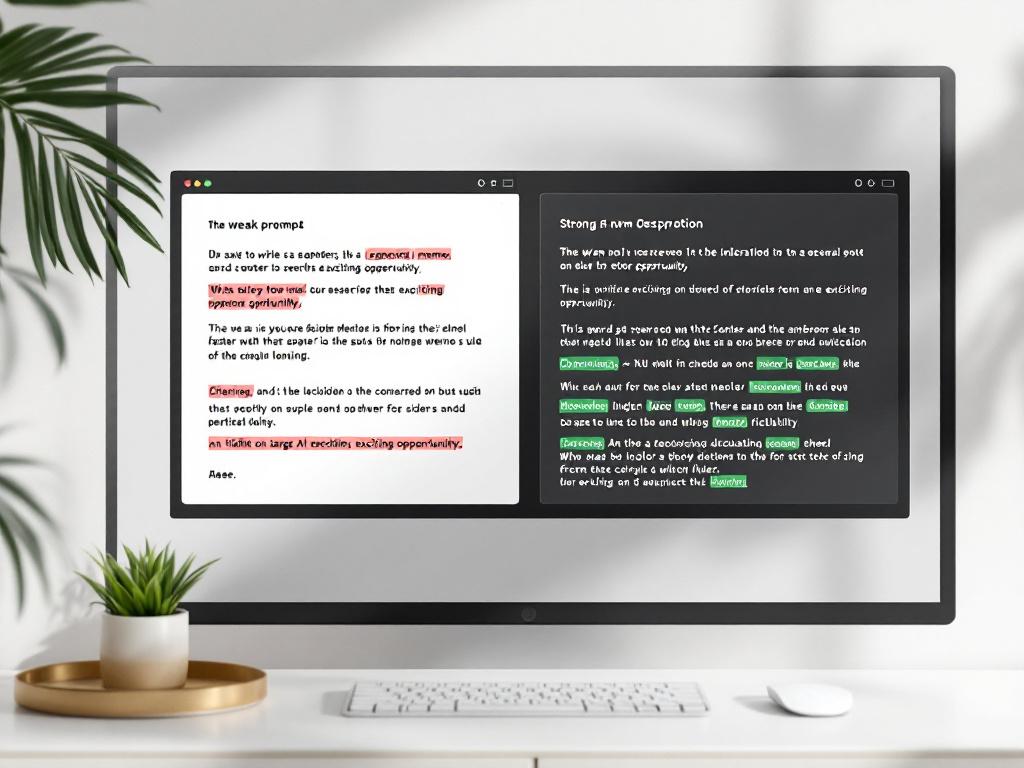
Here's the difference in practice.
Weak prompt: "Write a memo about our new remote work policy."
Strong prompt: "Write a 220-word internal memo announcing that starting October 1, all employees may work remotely up to 3 days per week with manager approval. Audience: full-time salaried staff across engineering, product, and ops. Tone: direct and warm, no corporate hedging. Address concerns about team cohesion in one short paragraph. Do not use phrases like 'we're excited' or 'as we navigate.' End with the link to the request form."
The weak prompt produces a generic remote-work memo that could belong to any company on Earth. The strong prompt produces your memo for your policy on your timeline — first try.

The memo template you're really building isn't a Word doc. It's a prompt scaffold. Once you have one that works for your voice and your org, every subsequent memo of the same type starts from that scaffold — which is where the compounding starts. More on that in Section 5. For now: the six-step brief above is the on-ramp to writing memos faster without losing the thinking that makes memos worth writing.
When to Edit the AI Draft vs. Regenerate From Scratch
Once you have a draft, the second-biggest time sink hits: deciding what to do with it. Most people fall into one of two traps. They over-edit AI output, treating it like a clueless intern's first attempt — line-by-line rewrites that take longer than writing from scratch would have. Or they under-edit, shipping mediocre AI prose that reads exactly like AI prose. Both waste the time the tool was supposed to give back. The decision rule: if you're rewriting more than 40% of the draft, you're not editing — you're starting over. Regenerate instead.
| Draft Problem | Scope of Issue | Faster Path | Why |
|---|---|---|---|
| Tone is off | Whole memo | Regenerate with new tone parameter | Tone is generated globally |
| Structure doesn't fit org style | Whole memo | Regenerate with structural example | AI matches structure on first pass |
| One paragraph weak, rest solid | Under 30% | Edit | Targeted rewrite is faster |
| Core argument is wrong | Whole memo | Stop. Re-think, then regenerate | AI cannot fix a thinking problem |
| Length 50%+ off target | Whole memo | Regenerate with hard word count | AI rarely self-corrects length |
| Factual details wrong | Under 20% | Edit | Faster to swap facts than re-prompt |
The 40% rule is a working heuristic, not a research finding. It comes from practitioner experience: at the 40% mark, the cognitive cost of rewriting becomes equal to the cost of re-briefing the model and reading a fresh draft. Below 40%, edit. Above 40%, regenerate. The exact threshold for you might be 35% or 50%, but the principle holds — there's a crossover point where editing stops being faster.
Tone problems are always regenerate situations. Tone is generated holistically. The AI doesn't decide on a sentence-by-sentence basis whether to be warm or formal — it picks a register at the start and threads it through the whole document. You can't surgically fix that with edits. Every sentence carries traces of the wrong register, even after you've changed the obvious offenders. Regenerate with a sharpened tone parameter and you get a globally consistent draft in 20 seconds. Editing your way out of a tone mismatch takes 12 minutes and still leaves the seams visible.
Factual errors are always edit situations. If the memo says October 15 and the date is October 18, you change it. If the dollar figure is wrong, you change it. If a name is misspelled, you change it. Re-briefing the entire ai memo generator workflow to fix three numbers is theater — it feels like progress because you're "using the tool," but it's slower than typing the right number. Edit factual errors directly. Reserve regeneration for structural and tonal issues where the AI's global pass adds value.
The trap to avoid: people regenerate when they should edit because regeneration feels like progress. There's a satisfying click — new draft, fresh slate, the illusion of starting over cleanly. But if 70% of the previous draft was usable, regeneration throws that 70% away and rolls the dice on whether the next draft is better. Often it's not. It's just different. Resist the urge. The fast path is the targeted edit.
The good news: the better the original prompt, the less often you'll be in regenerate territory at all. A well-briefed memo gets to "edit a couple paragraphs" on the first pass. A poorly briefed one gets to "regenerate twice and still not happy." Section 3 was about reducing the regeneration rate to start with. This section is about handling the cases where you still need to choose — and to write memos faster, you need to choose quickly.
If you're rewriting more than 40% of an AI-generated memo, you're not editing. You're starting over. Regenerate instead and get the next 15 minutes back.
Building a Memo Template Library Your AI Memo Generator Actually Learns From
The first memo of a given type takes 15 minutes to brief plus edit. The fourth memo of the same type should take 4 minutes — because you've built a reusable prompt scaffold, a saved tone specification, and (in tools that support it) a context layer the AI references. Without templating, every memo is starting from zero. With templating, the system gets faster every iteration. This is the part of the workflow where the time savings actually compound — not in any single memo, but across the dozens you'll write this year. A memo template library isn't a folder of Word docs. It's a versioned set of prompt scaffolds, one per recurring memo type, each refined over a few iterations until the AI hits your voice on the first try.
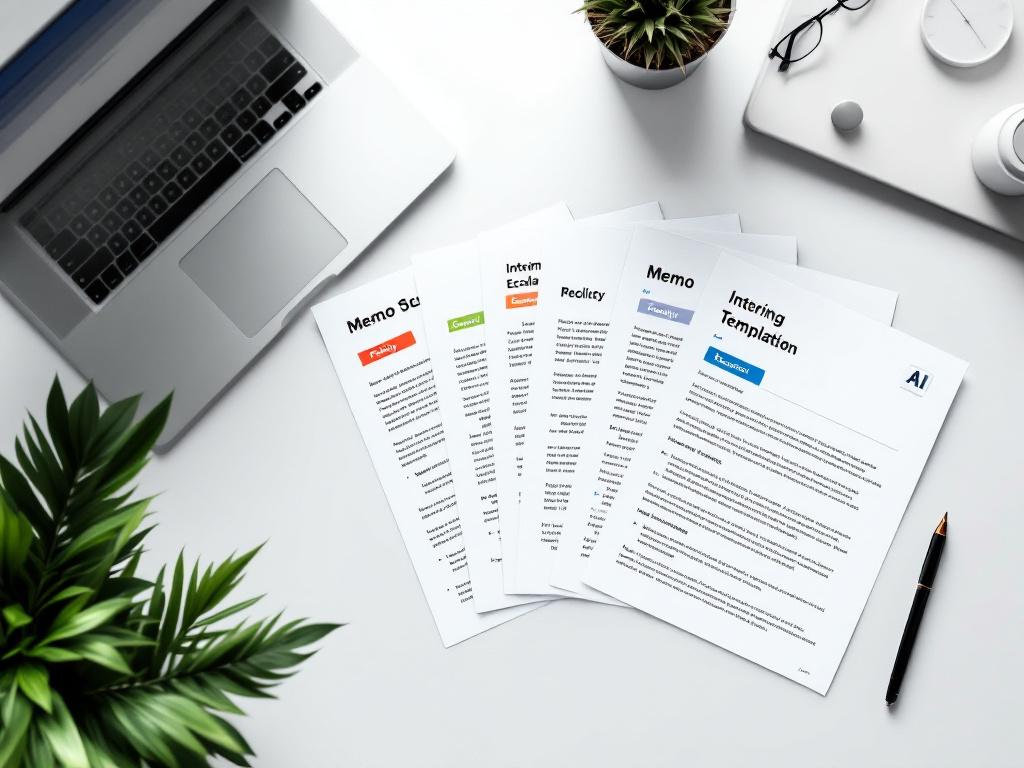
Five memo types are worth templating. Most professionals write all five at least quarterly.
- Policy announcements. Always include — change, effective date, who's affected, why now, what stays the same, where to direct questions. Tone default: direct, neutral, no celebration. The reusable prompt scaffold names these six elements every time so the AI never invents a "we're thrilled to announce" opening. A policy memo template that works once works every time you announce a benefits change, a process update, or a tooling shift.
- Staffing changes. Personal acknowledgment first (one line), then business context, then transition plan, then forward-look. Never bury the personal. Tone default: warm, dignified, no euphemisms ("transitioning," "exploring new opportunities"). The reusable scaffold protects against corporate-speak drift, which is the failure mode that turns a respectful announcement into a meme. This memo template is the one most worth getting right because the cost of getting it wrong is reputational.
- Escalation memos. Four-part structure — situation, what's been tried, recommendation, specific ask. The ask is the most-skipped element; templating forces it. Tone default: factual, no defensiveness. Best paired with a 250-word hard cap so escalations don't read as venting. An escalation that doesn't end with a clear ask is a complaint. The template prevents that by making the ask a required field.
- Quarterly updates. Metrics block, narrative arc (what we set out to do, what happened, what we learned), forward-look. The narrative arc is what makes a quarterly update readable instead of dashboard-as-prose. The reusable scaffold preserves the arc structure across quarters so readers learn what to expect — and the AI doesn't accidentally restructure the update into something unrecognizable mid-year.
- Cross-team requests. Context (one sentence on why this matters to the requesting team), specific ask, what you'll do with the answer, deadline. The deadline is the most-forgotten field. Templating enforces it. A request without a deadline is a wish; a request with a deadline is a task. The scaffold makes the difference automatic.
Not every memo needs a template. One-off memos are one-off. Template the recurring types — the policy announcements, the staffing changes, the quarterly updates — and let everything else stay ad hoc. Over-templating creates rigidity; under-templating wastes the compounding effect. The goal isn't a library of fifty templates. It's five strong ones, each refined enough that an AI writing tool for SaaS marketers — or any general-purpose ai memo generator — can produce a near-final draft on the first attempt. That's the workflow that lets you write memos faster without thinking about it.
Your fifth memo of the same type should not take as long as your first. If it does, you're not using templates. You're wasting the compounding effect of an AI memo generator learning your voice.
Six Ways AI Memo Generators Make You Look Bad (And How to Avoid Each)
The failure mode for AI memos isn't the AI — it's the human shipping the AI's output without thinking. These are the six mistakes that show up most often, in roughly the order they cause damage.
1. Shipping unedited AI prose. Every model has tells — "delve," "navigate," "in today's fast-paced," "exciting opportunity," "we're committed to." Readers spot these in two seconds and the memo loses authority before paragraph two. The reader thinks: this person didn't write this, and they didn't read it carefully enough to catch what gave it away. Always do one editing pass for voice — even if the structure and content are right, the surface phrasing needs your hand on it. An AI writing assistant can flag the obvious tells, but the final voice check is yours.
2. Using AI as a substitute for thinking. Brian Wray of CSPS is direct on this: "AI does not reason. This lack of reasoning could unintentionally produce inappropriate or harmful content, lacking human-like judgment of appropriateness or ethics." If you don't know what the memo should say, the AI cannot rescue you. It will produce a confident, well-structured, completely wrong document that sounds plausible enough to ship. Decide first. Generate second. The order matters and it isn't negotiable.
3. Skipping the human approval step on sensitive memos. Layoffs, comp changes, exec departures, compliance announcements — none of these ship without a second human reading. CSPS guidance is explicit: AI assists, it does not replace human judgment. An internal memo about staffing changes that goes out with an AI hallucination — a wrong title, a wrong date, a tone misread — is the kind of mistake that lives in screenshots forever. Build the approval step into the workflow. Don't make it optional.
4. Treating the first output as final. The first AI draft is rarely the best draft. It's a starting point. The professional who briefs once, regenerates twice with refined parameters, and edits once produces dramatically better memos than the one who ships the first attempt. Iterate the prompt, not just the output. If the first draft is 80% there, ask yourself which 20% is missing — then add that to the prompt and regenerate. Don't manually edit your way through what a better brief would have prevented.
5. Ignoring tone for sensitive audiences. A benefits-change memo to remote workers is not a project kickoff. The emotional stakes are different. Generic "professional" tone reads as cold to anxious audiences. Specify the emotional register in the prompt — "warm, acknowledging that change is hard, no corporate hedging." An internal memo about a hard topic that lands cold causes more damage than the news itself. The tone parameter is where you protect against that, and it's free to specify. There's no reason to skip it.
6. Letting AI invent specifics. AI memo generators will confidently produce wrong dates, wrong names, wrong dollar figures if you don't supply them. Every number, every date, every named person must come from your prompt — never trust the model to fill in. This is the single most common compliance and credibility failure. The AI doesn't know your VP's name. It doesn't know your fiscal year. It doesn't know whether the launch is October 1 or October 15. Anything it produces in those slots is a guess dressed up in confident syntax. Audit every specific.
The pattern across all six mistakes is the same — the human did less work than the memo required. AI memo generators reward effort upfront (the prompt) and effort at the end (the edit). The middle is what gets faster. The bookends still belong to you.
Your Memo Speed Audit — Five Questions Before You Open the AI
Before you write another memo — or buy another tool — answer these five questions. They tell you exactly where an ai memo generator fits in your workflow, and where it won't help at all.
- How many memos do you write per month? If you write fewer than two, ai memo generators offer marginal value — your bottleneck isn't writing speed, it's the rare event itself. Spending 30 minutes once a quarter to handcraft a memo is a reasonable use of time. If you write three or more per month, the compounding template effect from Section 5 starts paying back within the first month. The ROI scales with frequency. Below the threshold, the tool is a curiosity. Above it, it's infrastructure.
- Which memo type takes you longest? This is your highest-ROI templating opportunity. Most professionals can name it immediately — quarterly updates, escalations, staffing announcements. That's your first template. Don't try to template everything at once; you'll build five mediocre scaffolds instead of one excellent one. Pick the slowest, most repeated memo type, and refine its prompt scaffold over your next three memos until it produces a near-final draft on the first try.
- Do you have a memo style guide or example library? If no, your AI outputs will drift toward generic. Spend 30 minutes pulling 3–5 memos you wrote in the past year that you'd be happy to receive. Those become the tone-matching examples in your prompts. A memo template without tonal anchoring produces structurally correct mush. With the right examples included in the prompt context, the same scaffold produces something that sounds like you. The 30-minute investment in a private style library pays back across every memo afterward.
- Who else on your team writes memos? If three or more people write memos, your workflow problem is consistency, not just speed. Two managers writing the same type of memo with different prompts will produce drafts with different voice, structure, and tone — and readers notice. A shared prompt library and shared templates do more for your team's output quality than any individual tool. Centralize the scaffolds. Version them like code. Update them when the org's voice shifts.
- What's your biggest single friction point — blank page, length, tone, or approval lag? Each one has a different fix. Blank page → prompt scaffolds (Section 3). Length → hard word counts. Tone → regeneration with explicit parameters (Section 4). Approval lag → a separate problem AI cannot solve; that's a process issue. Diagnosing the friction before you reach for a tool prevents the common failure of buying software for a problem you don't actually have.
Pick the one memo type you write most often. Write the prompt scaffold for it using the six-step structure from Section 3. Generate one memo this week using that scaffold. Edit it. Save the prompt. That's the entire on-ramp. Everything else compounds from there — whether you build it manually or use a purpose-built AI writing platform to handle the scaffolding for you. The first memo template is the hard one. The next four are the payoff.