
How to Use an AI Quote Generator for Marketing, Social, and Sales Copy
You stare at three browser tabs: a half-written landing page that needs 50 testimonial variations by EOD, a LinkedIn content calendar that's three weeks behind, and a sales team Slack channel where two reps just asked for "personalized hooks" for their next 80-prospect outbound batch. It's 2:47 PM. You have one of you. An AI quote generator can solve all three jobs — but only if you know what to actually ask it for, and when it will fail you.
Here's what this guide covers: what these tools actually do, five use cases where they earn their keep, the prompt framework that separates useful output from generic slop, when AI beats manual writing and when it absolutely doesn't, the three failure modes that wreck credibility, and the full workflow from empty doc to published quote in under 30 minutes.
One thing upfront: most articles about AI quote generators are written by the companies selling them. This one is built around what works in practice, with the failure cases included — because the failure cases are where most teams lose money. If you've already burned a campaign on AI-generated marketing copy that landed flat, this article is the post-mortem you didn't get.

What an AI Quote Generator Actually Does (And the 4 Things It Can't)
Let's define the output category precisely. An ai quote generator is a prompt-driven tool — either a general LLM like ChatGPT, Claude, or Gemini wrapped in a quote-specific prompt, or a purpose-built interface like Canva's Quote Generator or Copy.ai's caption tools — that produces short-form copy under roughly 280 characters. That includes taglines, inspirational lines, testimonial frameworks, ad headline variations, social captions, and sales email opening hooks. Think of it as a structured drafting engine, not a copywriter.
What it does well is specific and worth naming:
- Generates 10–50 variations of a single idea in under 60 seconds
- Adapts tone (formal, casual, witty, contrarian) when given clear constraints
- Restructures existing copy into different lengths and formats on demand
- Creates framework drafts from rough customer feedback — turning a messy Slack message or call transcript into a usable structure that a human reviews before it ships
That's the upside. The downside is that vendor marketing pages rarely talk about what these tools genuinely cannot do. There are four hard limits, and every team that ships AI quote generator for marketing output at scale hits all four eventually.
It cannot do customer research. The model doesn't know your audience's actual pain points — it only knows patterns from its training data. A general LLM has no idea whether your B2B SaaS buyers care more about onboarding speed or integration depth. You have to supply that context manually, every single prompt. Skip it, and you get copy that sounds like every other LinkedIn post in your category.
It cannot discover your brand voice. It can mimic a voice you describe with examples, but it cannot infer the voice from your business model, your values, or your founder's personality. You have to feed it examples. This is the single highest-leverage move in the entire workflow, and the single most-skipped step. The deeper tradeoff between voice-driven and structure-driven output shows up across creative writing vs business content, and it matters here too.
It cannot invent testimonials. Generating fictional customer quotes for marketing use creates legal exposure under the FTC's Endorsement Guides, which require testimonials to reflect "honest opinions, findings, beliefs, or experience" of actual customers. According to the FTC Endorsement Guides, endorsements must reflect the genuine experience of the endorser — fabricated quotes attributed to fictional customers fall outside that standard. An AI quote generator that creates a "customer voice" from thin air is a compliance problem, not a marketing tool.
It cannot judge strategic fit. The model will happily generate a quote that's on-tone but completely wrong for the campaign objective. It doesn't know that your Q4 push is about retention, not acquisition. It can't tell you that the witty caption it just produced contradicts the serious case study you're linking to. That's a human review job, and no prompt engineering removes it.
What you're left with is a tool that excels at generating volume and variation, but requires you to bring the strategy, the voice examples, and the editorial judgment. The teams that get value from an AI marketing copy generator treat it as a leverage tool for a workflow they already understand. The teams that get burned treat it as a replacement for the workflow itself.
Before you ever open the tool, you need to know which job you're hiring it for. That brings us to the use cases.
5 High-ROI Use Cases Where an AI Quote Generator Earns Its Keep
Not every marketing copy task benefits from AI assistance. The use cases below are the five where, in practice, most operators see a return that justifies the tool. Each one shares a single trait — they all benefit from volume of options rather than a single correct answer.
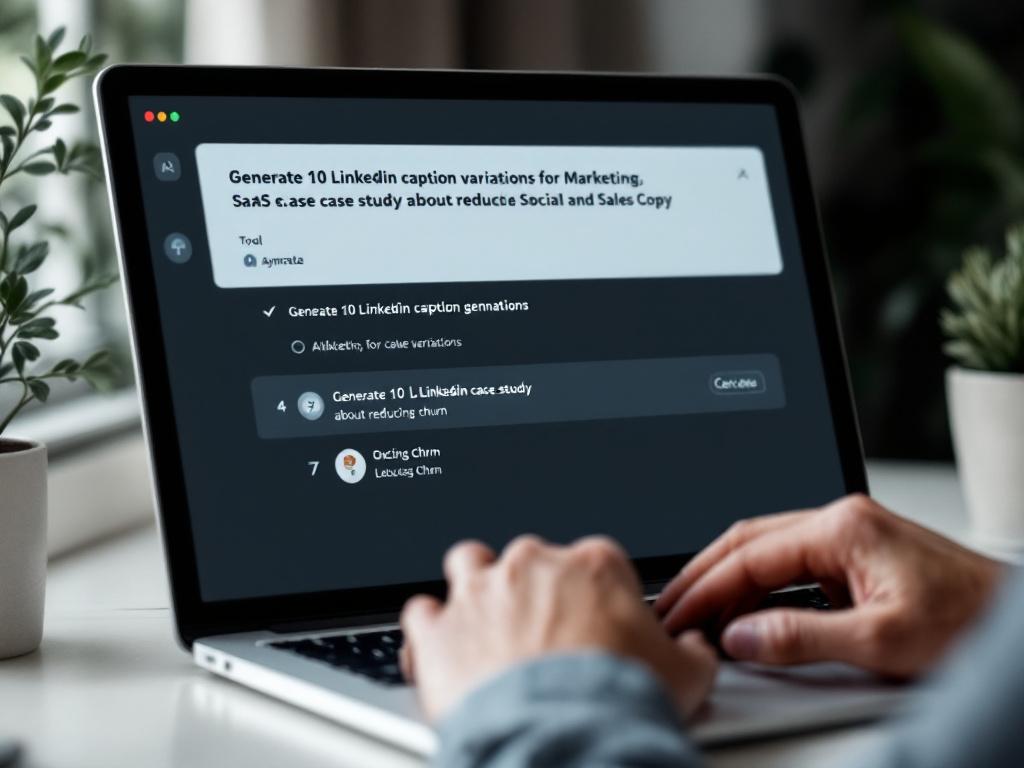
- Social Media Captions at Scale (LinkedIn, X, Instagram). Use it to generate 15–20 caption variations for a single content asset — a case study, a product launch, a founder post. Pick the 2–3 that match your voice, ship the rest to a swipe file for later campaigns. The model is good at structural variety: question-led, statistic-led, contrarian, story-led. Failure mode: posting generated captions verbatim without injecting at least one specific number, name, or detail from your business. Generic captions are AI's default state, not a bug — your edit is what removes the smell.
- Sales Email Subject Lines and Opening Hooks. Generate 20 subject line variants for a single outbound campaign, then A/B test 3–4. The model is genuinely useful for structural diversity — question vs. statement, curiosity gap vs. direct benefit, specific number vs. provocation. Failure mode: using an ai sales copy generator for the body of cold email. Cold email body copy lives or dies on personalization data and offer clarity, not phrasing polish. AI helps the hook; it doesn't help the pitch.
- Customer Testimonial Frameworks (Not Invented Testimonials). Take a raw customer Slack message, a support ticket reply, or a call transcript, and ask the AI to extract the 3 strongest claims and reformat into testimonial structure. The customer's actual words drive the final version, and the customer approves before publication. This is where an AI story writers for brand storytelling and case studies workflow actually compounds — you're not inventing voice, you're organizing voice that already exists. Failure mode: editing the customer's actual words past the point they'd recognize them. If the customer reads the final quote and thinks "I wouldn't say it that way," you've crossed the line.
- Ad Copy Variations for A/B Testing. Meta and Google Ads platforms reward creative volume — the more distinct angles you test, the more efficiently the algorithms find your winners. Generate 10 angle variations in five minutes: benefit-led, fear-led, curiosity-led, social-proof-led, contrarian. Ship them all to the ad set. Failure mode: testing 10 variations of the same angle instead of 10 different angles. The model will give you slight rewordings if you ask for "10 variations" without specifying what should vary. Force the diversity in the prompt.
- Cold Outreach Personalization Hooks (Not Full Messages). Use the AI to draft contextual reference points based on prospect data you supply — recent funding rounds, hiring activity, product launches, podcast appearances. You write the pitch and the offer; the AI writes the contextual opener. Failure mode: feeding it generic prospect data ("CEO of a SaaS company") and expecting non-generic hooks. Garbage in, garbage out — and prospects can smell a hook that wasn't actually about them in under three seconds.
These five use cases share a structural truth: they reward optionality. If your task has one right answer — the homepage hero, the founder's keynote opener, the press release headline that's going on Bloomberg — AI quote generation is the wrong tool. Use a human, give them time, and pay them properly.
The AI quote generator's real superpower isn't writing. It's generating enough options that your human judgment gets better data to work with.
The Prompt Framework That Separates Useful Output From Generic Slop
Roughly 90% of "AI doesn't work for our brand" complaints trace back to the prompt, not the model. Teams open ChatGPT, type "write a LinkedIn post about our product launch," get something forgettable, and conclude the technology is hype. The technology is fine. The prompt is the bottleneck.
Here's the framework that fixes it: C-C-O-E-V — Context, Constraints, Output format, Examples, Variations. Every prompt that consistently produces publishable ai quote generator prompts hits all five.

Step 1 — Context (Who and Why). Name the audience by role, industry, and stage. "B2B SaaS founders, pre-Series-A, evaluating their first marketing hire" beats "marketers" by an order of magnitude. Then name the problem the copy is solving: awareness, conversion, retention, recruitment. Context isn't atmosphere — it's the difference between the model writing for your audience and the model writing for the average of every audience it has seen in training.
Step 2 — Constraints (Tone, Length, Forbidden Words). Specify tone with two adjectives ("bold and conversational, not corporate"). Set length in characters or words, not vague terms like "short." List forbidden phrases — the words your brand never uses ("synergy," "leverage," "unlock," "game-changer," "in today's world"). This single step removes the majority of AI-voice tells in practice. The model is statistically biased toward those words; you have to manually disable them.
Step 3 — Output Format. Single line vs. multi-line. Numbered list vs. paragraph. With or without emoji. Hook + body + CTA, or hook only. The model respects format instructions more reliably than tone instructions, so use format to enforce structure. If you want 220-character captions, say "under 220 characters" — not "short captions." If you want a question to close, say "end with a question" — not "engaging."
Step 4 — Examples (Your Best Existing Copy). Paste 2–3 pieces of your own copy that you'd be proud to ship. Label them "examples of voice I want to match." This is the single highest-leverage move in the entire framework — most users skip it and then blame the model for sounding generic. The model cannot read your blog, your LinkedIn, or your homepage. It only knows what you paste into the prompt. If brand voice matters at all, examples are non-negotiable. The same principle applies when you're tuning tone for an AI dialogue generator for natural conversations or any other voice-sensitive output.
Step 5 — Variations (Always Ask for 10+). Never ask for "a quote." Ask for 10. Then specify what should vary: "5 in a confident tone, 5 in a question-led tone" or "5 short, 5 long" or "5 benefit-led, 5 contrarian." Variation parameters force the model to actually diversify instead of producing 10 slight rewordings of the same sentence. Without explicit axes of variation, the model converges on a single safe structure and gives you ten near-duplicates.
Here's what the difference looks like in practice:
❌ Weak prompt: "Write a LinkedIn caption for our case study."
✅ Strong prompt: "Write 10 LinkedIn caption variations for a case study about a fintech startup that reduced support tickets 47% using our platform. Audience: B2B SaaS operators at Series A–C companies. Tone: bold but plainspoken, no corporate jargon. Avoid: 'unlock,' 'leverage,' 'game-changer,' 'transform.' Length: under 220 characters. Format: hook line + one supporting line + open question. Match the voice of these three examples: [paste 3 of your top-performing posts]. Variations: 5 number-led openings, 5 contrarian-statement openings."
The second prompt takes 90 seconds longer to write. It also produces output that's usable on the first run roughly 70% of the time, instead of 10%. The math on that tradeoff is not subtle.
Same pattern for sales:
❌ Weak prompt: "Write a cold email opener for a CFO."
✅ Strong prompt: "Write 10 cold email opening lines for a Series B SaaS CFO who just closed a $40M round (announced last week on TechCrunch). Goal: book a 15-minute discovery call. Tone: respectful of their time, specific, zero flattery. Avoid: 'hope this finds you well,' 'quick question,' 'circling back.' Length: under 25 words each. Variations: 5 reference the funding announcement specifically, 5 reference a problem CFOs face post-raise."
You'll get usable openers from the second prompt. You'll get noise from the first.
AI Quote Generator vs. Manual Writing vs. Freelancer vs. Agency — When Each One Wins
The choice between an ai quote generator and human writers isn't binary. Most marketing teams use a combination, and the real question is allocation — what work goes where. The four approaches differ across criteria that actually drive the decision, and most teams misallocate because they only think about cost.
The ranges below are typical of what practitioners report — not benchmark-study data. Treat them as directional, and adjust to your context.
| Criterion | AI Quote Generator | In-house Writing | Freelance Writer | Agency |
|---|---|---|---|---|
| Output speed | 10–50 variations/hour | 2–5 finished/hour | 5–15/hour | 10–20/hour |
| Direct cost per quote | ~$0.01–$0.05 | Salary cost | ~$5–$25 | ~$20–$60 |
| Brand voice fidelity | Depends on prompt | Highest | Variable | High (after onboarding) |
| Strategic judgment | None | Yes | Limited | Yes |
| Best for | Volume, A/B test fuel | Signature messaging | Niche expertise | End-to-end programs |
Four decision principles drive correct allocation.
Cost is rarely the deciding factor. The real cost of bad copy is opportunity cost — the campaign that didn't convert, the post that flopped, the founder credibility that took the hit. An ai testimonial generator running at roughly $0.05 per output is irrelevant if 9 of 10 outputs are unusable. The cheap-per-unit math only works when the output is actually shippable. Otherwise you're optimizing the wrong variable.
Use AI where variation has compounding value. A/B tests on Meta and Google Ads, social caption pools, sales email subject lines, ad creative refreshes — anywhere "more options" makes outcomes measurably better. The platforms reward creative volume, and the marginal cost of a 20th variation is essentially zero for an AI tool, while it's painful for a human. Match the tool to the math.
Use humans where signature voice matters. Your founder's LinkedIn manifesto. Your homepage hero copy. The customer testimonial that's going on your investor deck. The press release headline that's about to be quoted in TechCrunch. These are decisions, not variations — they require strategic judgment, brand-defining choices, and the kind of voice fidelity that an AI cannot infer no matter how good the prompt is. Pay the human. It's worth it.
The honest hybrid stack. The most effective teams use AI for first-draft volume, an in-house editor or strategist for the final 10% of judgment, and freelancers or agencies for the once-a-quarter brand-defining work. That stack is what a well-run AI Blog Writer Agent workflow looks like in production — AI generates the options, humans pick and polish. The trap is using AI for the wrong tier (brand-defining headlines) and humans for the wrong tier (high-volume A/B test caption pools). Match each task to the layer that actually fits, and the economics work. Mix them up, and you'll either burn budget on humans doing volume work or burn reputation on AI doing strategy work.
The 3 Failure Modes That Wreck AI-Generated Marketing Copy
Every team that ships AI-generated marketing copy at scale eventually hits these three failure modes. The teams that survive recognize them early and build review processes around them. The teams that don't ship copy that quietly degrades brand equity over months, with no single moment of obvious failure to point to.
Trap 1: Brand-Anonymous Inspirational Filler
The output is grammatically perfect, tonally neutral, and could come from any company in your category. The reader scrolls past because nothing identifies it as you. There's no specific number, no proprietary insight, no point of view your competitors wouldn't also publish. It's vapor.
Why it happens: the prompt didn't include voice examples (Step 4 of the C-C-O-E-V framework). The model defaulted to the average of its training data, which skews heavily toward generic LinkedIn-influencer cadence — vague abstractions, em-dash overuse, and bilateral phrasing that reads polished but says nothing.
How to fix it: feed the model 3–5 examples of your actual best copy and explicitly forbid the AI-voice tells. The forbidden list at minimum includes vague abstractions ("empower," "transform," "elevate"), bilateral phrasing ("It's not just X — it's Y"), and synonym strings (three adjectives where one would do). When the model produces something anyway, reject it and regenerate. Your edit pass is what separates brand voice from category sludge.
Trap 2: Recognition Fatigue From Template Overuse
The first 20 AI-generated captions land well. Engagement is solid. By month three, your audience starts noticing the same structural pattern — same hook style, same em-dash rhythm, same closing question. Engagement drops without obvious explanation, and the analytics dashboard shows a slow bleed you can't trace to any single post.
Why it happens: AI tools have favored structural defaults. Without varying prompts, you'll get structural sameness across outputs even when surface words change. Teams optimize for speed-of-output ("we shipped 40 posts this month!") and skip variation-of-structure ("…but they all open the same way"). The audience doesn't consciously catalog this. They just stop engaging.
How to fix it: rotate prompt frameworks monthly. Keep a shared doc with your last 30 published quotes and explicitly forbid structural repetition in new prompts. If your last 5 captions opened with a question, force the next 5 to open with a number or a contrarian statement. Track openings, closings, and middle-structure patterns. Audiences fatigue on structural sameness faster than they fatigue on volume — the post count isn't the problem, the post shape is.
Trap 3: Skipping Human Review on Public-Facing Copy
The team treats AI output as ship-ready. A tone-deaf post goes live during a news cycle the team didn't track. A testimonial framework gets used with wording the actual customer never said. A subject line that sounded clever in isolation reads as misleading in inbox context. None of these failures are catastrophic individually. Compounded over a year, they erode the trust that makes marketing work.
Why it happens: AI speed creates pressure to skip the review step. The faster the generation, the more tempting it becomes to bypass the human gate — especially when the queue is full and the deadline is now. "We don't have time to review every caption" becomes "we don't review captions," and the gate is gone.
How to fix it: build a 30-second review checklist before any AI-drafted copy publishes. Two questions only. First, would the founder or CEO put their name on this? Second, does any specific claim need verification? If yes to the second, verify before publishing. For testimonials specifically, the original customer must approve the final wording — both ethically and to align with the FTC Endorsement Guides standard that endorsements reflect genuine experience. Thirty seconds per piece is not a productivity tax. It's insurance against the AI-generated quotes fail scenarios that compound silently.
An AI quote generator is a drafting tool, not a publishing tool. If you can't spend 30 seconds reviewing the output, you're not ready to use one.
The Full Workflow — From Empty Doc to Published Quote in 30 Minutes
This is the workflow most experienced operators converge on after six months of trial and error. The time estimates assume you've used the tool at least 10 times — first-time users should add about 50%. The whole thing is built around one principle: spend more time on the brief and the review than on the generation itself.
Step 1 — Define the Brief (5 minutes). Write four lines: Who is this for? What problem does it address? Where will it appear? What action should it trigger? If you can't answer one of these clearly, don't generate yet — generating against an unclear brief produces 10 useless variations and wastes the next 25 minutes. The brief is the cheapest place to fix a bad output, and the most-skipped step in every team that complains about AI quality.
Step 2 — Gather 3–5 Voice Examples (10 minutes). Pull your best-performing copy from the last 90 days that matches the output format. LinkedIn caption? Pull your top 3 LinkedIn posts. Subject line? Pull your last 5 highest open-rate subject lines. Ad headline? Pull your top-performing creative from the current quarter. Paste them in a scratchpad. This is the work — finding good examples is harder than writing the prompt, and it's what most teams skip.
Step 3 — Build the Prompt (5 minutes). Apply the C-C-O-E-V framework from earlier in this guide. Paste in the voice examples from Step 2. Specify variation parameters explicitly — not just "10 variations," but "5 confident, 5 curious" or "5 short, 5 long." The variation axes are what produce actual diversity in the output.
Step 4 — Generate 10–20 Variations (2 minutes). Run the prompt. Read the outputs. If fewer than 3 of 10 outputs feel close to publishable, your prompt is wrong — rewrite it and run again before reviewing more outputs. Bad prompts don't fix themselves through more generation cycles. More generations just means more bad output, faster. The 3-of-10 rule is your prompt-quality diagnostic.
Step 5 — Shortlist and Light-Edit (5 minutes). Pick 3–5 outputs that pass the "would the founder put their name on this?" filter. For each, change one specific word, swap one generic phrase for something concrete, and remove any AI-voice tell that survived (em-dash overuse, abstract verbs, bilateral phrasing). This is the step that converts AI draft into brand copy. Skip it and the AI smell stays in.
Step 6 — Final Review and Publish (3 minutes). Read each finalist aloud. If a phrase makes you wince, fix it. Verify any specific claim — numbers, customer names, product features. Publish or schedule. Save the rejected variations to a swipe file; they may work for a different campaign next month.
Here's what the ai quote generator workflow looks like end-to-end with a real scenario.
You need 5 LinkedIn captions for a case study post about a customer who cut their content production time by 60% using your platform.
- Step 1: Brief — B2B SaaS marketers, Series A–C, evaluating AI content tools, post runs on company LinkedIn, goal is clicks to the case study page.
- Step 2: Pulled top 3 LinkedIn posts from last quarter. Two opened with specific numbers, one with a contrarian statement. Pasted into scratchpad.
- Step 3: Wrote the prompt — 10 variations, under 220 characters, 5 number-led and 5 contrarian-led, voice matching the 3 examples, forbidden words list included ("transform," "unlock," "game-changer," "in today's world").
- Step 4: Generated. 7 of 10 outputs were close to usable. Prompt quality confirmed.
- Step 5: Shortlisted 4. Edited each — added the customer's company name to two, swapped "transform" for "rebuild" in one (the model used it despite the forbidden list, which happens), tightened a closing question on another.
- Step 6: Read all four aloud. Fixed one awkward word break. Scheduled all four across the next two weeks of the content calendar.
Total time: about 28 minutes. The old workflow — writing each caption from scratch, getting it reviewed, revising, scheduling — was closer to 2.5 hours for the same output. That's the compounding effect that makes the tool worth using, but only when the workflow around it is real.
Practitioner FAQ — The Questions Real Operators Ask
Q1: Will my audience know the copy is AI-generated?
If you publish raw output, often yes — there are recognizable tells (em-dashes everywhere, "It's not just X — it's Y" constructions, abstract verbs like "elevate" and "empower," three-adjective synonym strings). If you apply Steps 5 and 6 of the workflow — voice examples plus light edit — the tells disappear. The signal your audience picks up isn't whether AI helped. It's whether a human cared enough to finish the work. Caring is detectable. Skipping the edit pass is detectable.
Q2: Can I use AI to write customer testimonials?
No — not from scratch. You can use it to restructure a real customer's raw feedback into testimonial format, but the customer's actual words and explicit approval must drive the final version. Inventing testimonials creates exposure under the FTC Endorsement Guides, which require endorsements to reflect genuine customer experience. It also erodes the trust that makes testimonials valuable in the first place. If your testimonial isn't real, it isn't a testimonial.
Q3: Which best ai quote generator should I actually use?
For most marketing teams, ChatGPT or Claude with a saved prompt template outperforms purpose-built generators — because the framework matters more than the tool. Purpose-built tools like Copy.ai or Canva's quote generator are useful for non-technical users who want the prompt structure handled for them. The right call depends on team skill and use case. Test two tools with the same brief and compare outputs. Whichever produces more publishable drafts on the first run is the right tool for your team.
Q4: How do I know if my prompt is working?
The 3-of-10 rule. If at least 3 of 10 outputs feel publishable with light editing, your prompt is working. If you're rewriting all 10 from scratch, your prompt is the problem, not the model. Rewrite the prompt before regenerating. More generations on a bad prompt is the most common time-waste in the entire workflow.
Q5: How much AI-generated content is too much in one campaign?
There's no fixed cap, but rotate structural patterns deliberately. Track your last 30 published pieces and check for repeated openings, em-dash rhythm, and recurring sentence shapes. Audiences fatigue on structural sameness faster than on volume. You can ship 40 AI-assisted posts a month without anyone noticing, if the structures vary. You can ship 8 a month with identical structures and lose engagement steadily.
The Pre-Generation Checklist (Run This Before Your Next Prompt)
Print this. Pin it to your monitor. Run it every time you open the tool. Skipping any item moves your outputs back toward generic — not catastrophically, but measurably, and the effect compounds across a campaign.
- I've named the specific use case. Social caption, sales hook, testimonial framework, ad variation, or outreach personalization — not "marketing copy" in general. Specificity in the use case drives specificity in the output.
- I've written a 4-line brief. Who is this for? What problem does the copy address? Where will it run? What action should it trigger? Four lines is the floor. Anything less and the model is guessing.
- I've pulled 2–3 examples of my own best copy in the same format. No examples means no voice match means generic output. This is the step most teams skip and then blame the tool for the result.
- My prompt includes all five C-C-O-E-V elements. Context, Constraints, Output format, Examples, Variations. Missing one of these is the most common cause of disappointing output. Audit your prompt against the five before you hit run.
- I've listed forbidden words and phrases. At minimum: "unlock," "leverage," "elevate," "transform," "game-changer," "in today's world." Add your own brand-specific banned list — the words your team has decided don't belong in your voice. The forbidden list does more work than the tone instruction.
- I'm requesting at least 10 variations with parameters. Never "a quote." Always 10+, split across two or more tonal or structural axes (5 confident + 5 curious, or 5 short + 5 long, or 5 benefit-led + 5 contrarian). Variation parameters force real diversity.
- I have a named human reviewer before publish. Either me with a 30-second checklist, or a teammate who knows the brand. No AI-drafted copy ships unread. This is the gate that prevents the slow erosion of brand trust that the third failure mode describes.
- I'm tracking outputs in a swipe file. Even rejected variations may work for a different campaign next month. Don't regenerate from zero next time — start from your shortlist of past winners, your top-performing examples, and your refined prompt template. The swipe file is what makes the workflow compound across quarters instead of resetting every campaign.
If you can check all 8 boxes before you run the prompt, you're using an ai quote generator the way the most effective operators use it — as a leverage tool that compounds your judgment, not a replacement for it.