How to Use AI to Make Logos: A Founder's Step-by-Step Guide
Why Founders Are Skipping the $2,000 Logo Quote (And Where AI Actually Delivers)
You need a logo by Friday. You opened a designer's inbox on Monday, got a quote back for $1,800 with a four-week timeline, and now you're wondering whether learning how to use AI to make logos is the smarter path. It probably is — but only if you treat it as a craft, not a one-click novelty.
The price gap is the first reason founders make the switch. According to 99designs' logo design cost guide, freelance logo work runs roughly $300 to $2,500+ for small business clients. Fiverr's logo category shows basic packages at $50–$500, with premium identity work crossing $500 and climbing. Compare that to AI logo tools that produce a first draft in minutes from a text prompt, per Adobe Express. The economics already pushed millions of bootstrapped founders onto AI rails — Looka reports millions of logos generated through its platform, and LogoAI claims more than 1 million businesses have used its system.
The real question isn't is AI good enough? It's what does a founder actually do to get a usable logo out of AI in a single afternoon? This guide gives you the playbook: tool selection, prompt structure, refinement loops, trademark checks, and the six mistakes that sink otherwise good marks. One warning before you start — not every "AI" tool is actually AI. Designlab's 2026 review and a comparative test of five tools on YouTube both flag that several platforms are template libraries with a prompt box bolted on. You need a process, not just a product.
Table of Contents
- When AI Logo Generation Is the Right Call
- The 5 AI Logo Tools Worth Your Time in 2026
- The Anatomy of a Logo Prompt That Actually Works
- Iterating, Testing, and Stress-Testing Your AI Logo
- The Trademark and Copyright Reality Check
- 6 AI Logo Mistakes That Sink Otherwise Good Brands
- The Pre-Launch AI Logo Checklist
When AI Logo Generation Is the Right Call
AI logo generation is a tool with a fit profile, not a universal answer. Before you open a single tab, look at the decision matrix below and figure out which path matches your situation. There are three real options: Pure AI, Designer Hire, and Hybrid (AI draft handed to a freelancer for refinement).
| Criterion | Pure AI | Designer Hire | Hybrid |
|---|---|---|---|
| Time to first concept | Minutes | 2–6 weeks | Same-day draft |
| Total cost | $0–$30/mo | $300–$2,500 | ~$150–$500 |
| Best for | MVPs, side projects | Regulated brands | Pre-PMF launches |
| Copyright certainty | Weak (no human authorship) | Strong | Stronger than pure AI |
| Trademark risk handling | Self-managed | Often included | Self-managed |
| Refinement control | Prompt-dependent | High | High |
| Brand system scalability | Limited | Full system | Partial |
Pure AI fits MVPs, side projects, internal tools, personal brands, and pre-product-market-fit startups testing brand directions. You're not committing to a 10-year identity — you're shipping a recognizable mark this week so you can stop using a placeholder. If the brand pivots, you regenerate.
Designer hire fits regulated industries — law, finance, healthcare — premium positioning where the logo signals price tier, and full brand systems that need typography, color theory, voice, and usage guidelines stitched together. The 99designs price band of $300 to $2,500+ buys you that strategic layer. The four-to-six week timeline buys you iteration with a human who pushes back.
Hybrid is the under-discussed sweet spot. Generate four AI directions for $20, pick the strongest, hand it to a freelancer for $300 of cleanup, vectorization, and distinctiveness work. Designlab's 2026 review explicitly recommends this pattern — flexible models plus designer refinement consistently beat one-click generators for brands meant to last. You get AI's speed and a human's judgment, at roughly one-fifth the cost of a full agency engagement.
Pick the path before you pick the tool. Otherwise you'll spend three hours generating logos when you should have hired a designer, or four weeks managing a designer when you should have prompted Adobe Express and shipped.
The 5 AI Logo Tools Worth Your Time in 2026
Five tools cover roughly 95% of what founders actually need. The split runs across two axes: how much prompt control you want, and whether you need just a logo or a full brand kit attached to it.
| Tool | Workflow Type | Pricing Tier | Customization Depth | Best For |
|---|---|---|---|---|
| Adobe Express | Prompt → edit → PNG | Free / $9.99 mo | Medium | In-Adobe workflows |
| Canva Dream Lab | Structured prompt | Free / ~$15 mo | Medium | Social-first brands |
| Looka | Questionnaire | $20–$96 one-time | Low | Full brand kit launch |
| LogoAI | Questionnaire + AI | $29–$99 packages | Low | Logo + auto social |
| Midjourney / DALL·E 3 | Pure prompt | $10–$60 mo | High | Distinctive marks |

Adobe Express runs a prompt-to-PNG workflow and is pitched explicitly as "no design experience needed." You enter at least five descriptive words, generate variants, edit inside Express, and download a transparent PNG. Free tier works for testing; Premium at $9.99/month unlocks the full editing stack.
Canva's Dream Lab uses a documented prompt structure — main subject, business name, field, colors, then style modifiers like "3D render" or "black-and-white sketch." If your logo lives inside Canva-built social posts and pitch decks anyway, generating it inside the same workflow eliminates a step.
Looka is questionnaire-driven instead of prompt-driven — lower creative ceiling, but the one-time $20 to $96 fee includes business cards, social profile images, email signatures, and website templates. LogoAI packs a similar bundle at $29 to $99 with automated on-brand social content generation layered in. Both win when you want one purchase to cover the entire launch asset surface.
Midjourney and DALL·E 3 are general image models, not logo-specific tools. They produce the most distinctive marks but require prompt skill and a separate vectorization step (Logo Diffusion's vectorize feature or Adobe Illustrator's Image Trace). Plan on $10–$60/month for Midjourney or $20/month for DALL·E 3 via ChatGPT Plus, plus an hour or two of cleanup time.
One concrete warning. The five-tool YouTube comparison test found that several platforms marketed as "AI" — Design.com being the standout example in that test — are essentially template libraries with prompt boxes pasted on top. Before you pay for any tool, run the same prompt twice on the free tier. If you get the same template with the color swapped, it isn't real generation. The same discipline lean marketing teams apply to picking content tools applies here: verify the engine before buying the subscription.
The first AI logo is never the final logo — but it is often good enough to ship a startup, which beats waiting six weeks for a designer while your market moves.
The Anatomy of a Logo Prompt That Actually Works
Knowing how to use AI to make logos starts with how you prompt. The gap between a generic blob and a brand-worthy mark is almost always prompt structure, not tool choice. Canva publishes a prompt formula — subject, name, field, colors, style modifiers — and Adobe Express recommends at least five descriptive words. Both are floors, not ceilings. Here's the six-step process that consistently produces usable output.
Step 1 — Define brand identity in 3 adjectives
Pick three. "Bold, minimalist, tech-forward." "Warm, organic, handcrafted." "Sharp, premium, confident." Fewer than three reads as vague to the model; more than three introduces conflicting signals that average out into mush. Three forces you to choose what your brand actually is.
Step 2 — Specify the visual style
Diffusion models respond well to named style categories. Use one of: flat vector, geometric, line art, monogram, abstract mark, 3D render, hand-drawn sketch, or badge/emblem. "Modern" is not a style — it's a feeling. "Flat vector monogram" is a style.
Step 3 — Lock the color palette
Either name 2–3 hex codes ("#1E2A44, #FF6A55, white background") or describe the palette in concrete terms ("deep navy and warm coral on white"). Leaving color open invites the default blue-and-grey output that makes AI logos instantly identifiable as AI logos. Specificity costs nothing and pays distinctiveness.
Step 4 — State exclusions explicitly
"No gradients, no text inside the mark, no people, no watermarks, no clip-art style." Diffusion models still mangle letterforms — text rendered inside an AI-generated mark looks like a hostage note. Set the brand name in your own typography after generation, in a real vector tool, using a real typeface.
Step 5 — Anchor the industry context
"For a B2B SaaS analytics platform serving mid-market finance teams." Industry framing changes the shape language the model reaches for. Fintech reads as sharp geometry and confident verticals. Wellness reads as organic curves and breathing space. Logistics reads as motion and directionality. Tell the model what category you're in and it will pull from the right visual vocabulary.
Step 6 — Request structured variations
"Generate 4 variants: one abstract mark, one monogram, one geometric symbol, one emblem." Without this, you get four near-duplicates. With it, you get four distinct directions you can compare side by side and pick from.
Here's what bad and good look like in the same model:
❌ Bad: "logo for my startup"

✅ Good: "Flat vector logo mark for Northpine, a B2B SaaS
analytics platform for finance teams. Bold, minimalist,
tech-forward. Deep navy (#1E2A44) and warm coral (#FF6A55)
on white. Geometric. No text, no gradients, no people.
Generate 4 variants: abstract mark, monogram, geometric
symbol, emblem."
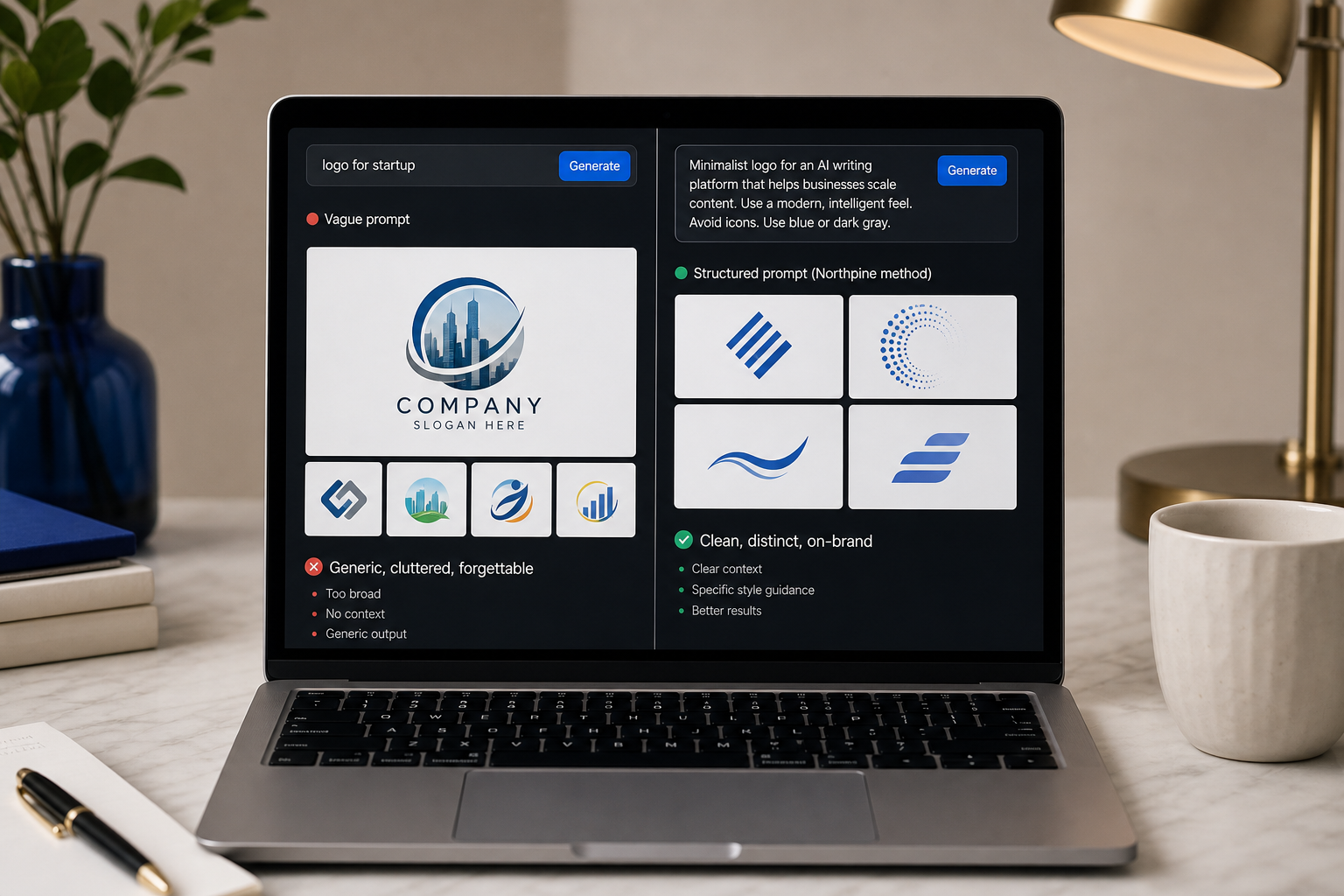
The two prompts go into the same model. The first returns a generic shield with garbled text. The second returns four distinct directions you can actually pick between.
One last note on iteration etiquette. Once you have output, small tweaks read differently than direction shifts. "Same concept, more angular" stays on the current branch and refines it. "Start over with an emblem style instead" resets the branch. Mixing these confuses the model and produces averaged mediocrity. Decide which mode you're in for each round, and tell the tool plainly.
Iterating, Testing, and Stress-Testing Your AI Logo
You have a draft you like. That's the easy part. The gap between a logo I generated and a logo I'm willing to ship is four refinement loops. Skip any of them and you'll be rebranding in three months.
Loop 1 — Scale stress test
A logo that looks stunning at 1024×1024 may be illegible at 16×16. Run the standard favicon stack: 16×16, 32×32, 48×48, and 180×180 per MDN's favicon documentation. Then test Instagram's 320×320 profile image spec and Apple's 1024×1024 app icon source requirement. If detail disappears or the mark turns to mud below 32px, simplify. Strip elements until what remains still reads as your brand at a thumbnail's worth of space.
Loop 2 — Contrast and accessibility test
WCAG 2.1 Success Criterion 1.4.3 recommends a contrast ratio of at least 4.5:1 for normal text and 3:1 for large text. Logos are technically exempt from strict accessibility criteria, but WebAIM's contrast guidance and accessibility practitioners consistently recommend hitting the same ratios anyway. Illegible marks hurt brand recognition and usability — in browser tabs, on dim phone screens, and in dark-mode interfaces. Run your logo through WebAIM's contrast checker against the three background colors it will actually live on: your site's background, white, and black.
Loop 3 — Vector conversion
Most AI tools output raster (PNG). For production use you need SVG — scalable across every surface from favicon to billboard without pixelation. Two viable paths: Logo Diffusion's built-in vectorize feature (demonstrated in the five-tool YouTube test) or Adobe Illustrator's Image Trace. Per Adobe's file format guidance, keep your master as SVG, export PNG with transparency for web and UI, and avoid JPG for logos because it cannot hold transparency cleanly and introduces compression artifacts around hard edges.
Loop 4 — Context mockup
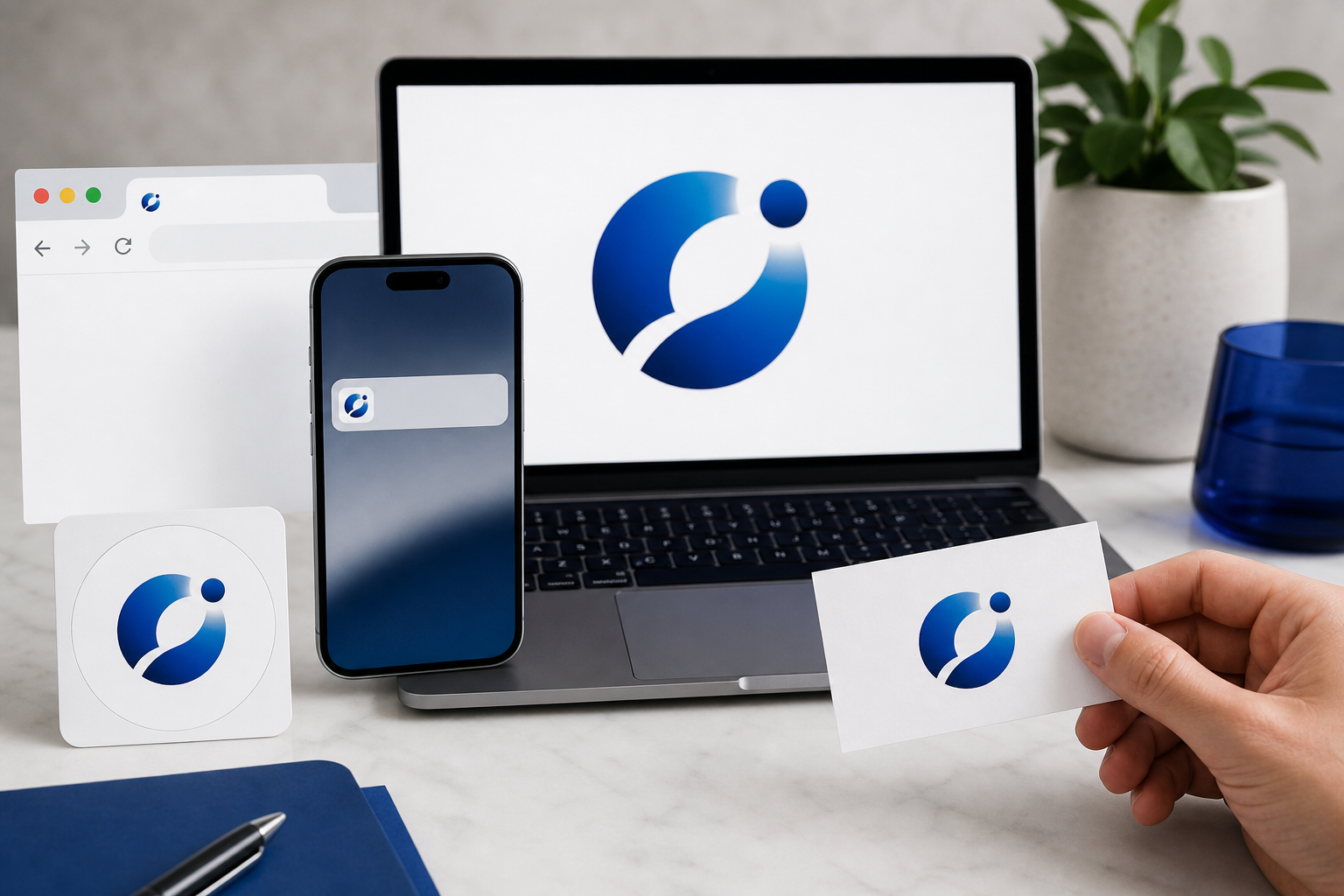
Drop the logo into real contexts before approving it: website header, mobile app icon, business card mockup, social avatar with the inevitable circle crop, email signature. Many founders only realize the mark is asymmetric or off-center after they see it cropped into Instagram's circular avatar frame. Catch it now. A logo that fails in context fails in production.
When to stop iterating. When three consecutive refinements feel like lateral moves instead of improvements, you've reached the local maximum for that direction. Either ship it or restart with a different style prompt. Refinement past that point is procrastination disguised as polish.
Export checklist before you close the tab. SVG (master file). PNG with transparency (web, social, UI). 300dpi PNG or TIFF (print). And — this matters — save named-file versions for light backgrounds versus dark backgrounds. Future-you will need both within the first month, and creating them now while the working files are open is roughly ten minutes of work. Creating them six weeks later from a flattened PNG is a re-vectorization project.
A logo that looks stunning at 1024 pixels can be invisible at 16 — and the favicon is the first place a paying customer sees your brand.
The Trademark and Copyright Reality Check
This is the section most founders skip and the one that causes the most expensive cleanup. Two distinct legal concepts get conflated constantly: copyright (who owns the file) and trademark (whether you can use it in commerce without infringing someone else's mark). They are independent. You can own a logo and still get sued for using it. Here's what you actually need to know before you put a mark on a homepage.
- The copyright situation is murkier than tool terms of service suggest. Most AI tool terms — Adobe, Canva, Looka, LogoAI — assign output rights to the user. But the U.S. Copyright Office's AI guidance is explicit that works produced without sufficient human creative authorship are not copyrightable in the U.S. The practical takeaway: the more you customize, refine, and combine AI output with your own editorial decisions, the stronger your claim. A one-prompt, one-download workflow leaves you exposed if a competitor copies your mark.
- Trademark risk is independent of copyright. Even if you "own" your logo, you can still face a trademark infringement claim if it resembles a registered mark in your category. USPTO's trademark basics make the test clear: it's about consumer confusion, not authorship. AI models trained on the open web can — and occasionally do — reproduce shapes uncomfortably close to existing registered marks, and the model can't tell you when it has.
- Run two free searches before you commit. First pass: USPTO's TESS database for U.S. word and design marks in your category. For brands launching across multiple jurisdictions, run the WIPO Global Brand Database. Add a Google reverse image search on your final PNG to catch visual collisions that don't appear in trademark databases. The full sweep takes about an hour. Skipping it can cost a brand.
- When to bring in a trademark attorney. If you're raising capital, planning international rollout, entering a regulated category (finance, healthcare, food/beverage), or your brand name is distinctive enough to anchor a category — budget $500 to $1,500 for a formal clearance opinion. For a side project or pre-revenue MVP, the free searches are a reasonable risk floor. Match the legal spend to the actual stakes.
- The hybrid hedge strengthens both sides. Per Designlab, passing an AI draft through a designer for refinement both improves distinctiveness (reducing trademark conflict risk) and adds human creative input (strengthening copyright claims). It's the cheapest insurance policy in the entire workflow.
The academic perspective reinforces this split. Dr. Andres Guadamuz at the University of Sussex has written extensively on how purely machine-generated works without human authorship may not be copyrightable under current U.S. and U.K. doctrine. Prof. Pamela Samuelson at UC Berkeley emphasizes that trademark protects signs that identify source — distinctiveness and marketplace confusion drive legal risk, not just originality. Founders routinely conflate the two and get burned on whichever side they didn't think about.
AI can generate a logo in minutes, but a trademark search takes hours — and skipping the hours is how founders end up rebranding under legal pressure.
6 AI Logo Mistakes That Sink Otherwise Good Brands
Six failure patterns show up repeatedly in launched-and-regretted AI logos. Each has a specific fix.
- Mistake 1 — Over-detailed marks that collapse at favicon size. AI tends to over-render: extra ornamental shapes, gradient layers, micro-text. If your logo has more than three visual elements, it likely fails the 16×16 test per MDN's favicon guidance. Fix: prompt explicitly for "simple, single-shape mark" and render the output at 32px before approving anything. If you can't identify the shape at thumbnail size, neither can a customer scanning their browser tabs.
- Mistake 2 — Letting AI render brand-name text inside the logo. Diffusion models still mangle letterforms. You'll get "Nortlhpline" or floating fragments of letters that look like a printer error. Fix: prompt for "logo mark only, no text," then place your wordmark in a vector tool — Illustrator, Figma, Affinity — using a real typeface you've licensed. The mark and the wordmark are two separate files anyway. Treat them that way from the start.
- Mistake 3 — Trusting AI color combos without contrast checks. AI models don't run accessibility checks. WCAG 2.1 recommends 4.5:1 for legibility, and your logo will eventually sit on backgrounds the AI never considered. Fix: run your final palette through WebAIM's contrast checker against your three most-likely background colors before locking the palette. Adjust hex values, not vibes.
- Mistake 4 — Generic output because the prompt was generic. Designlab's review notes that older logo tools produce highly similar, generic marks — and bad prompts on good tools produce the same result. The blue-circle-with-letterform-inside that screams "AI startup" is almost always a prompt problem, not a tool problem. Fix: use the six-step prompt formula. Never ship from a single-line prompt. Specificity in the prompt is distinctiveness in the output.
- Mistake 5 — Trusting the "AI logo" label without verifying real generation. The five-tool YouTube comparison test shows that several "AI" platforms are template libraries with prompt boxes pasted on top. You think you're generating; you're actually filtering pre-made templates. Fix: before paying for any tool, generate the same prompt twice on the free tier. If you get the same template with the colors swapped, it's not real generation — and you'll be one of dozens of brands sharing the underlying shape.
- Mistake 6 — Shipping the first acceptable output. First-draft acceptance is the most common founder mistake. Adobe Express's own workflow explicitly recommends "refine, edit, re-generate" as a step, not an option. Fix: require yourself to generate at least three directions and refine the best one through two rounds before declaring done. The same discipline that wins with AI logos — pick the tool, prompt it well, refine, ship — wins everywhere founders use AI to replace agency retainers, from logo design to automating organic content production.
The Pre-Launch AI Logo Checklist
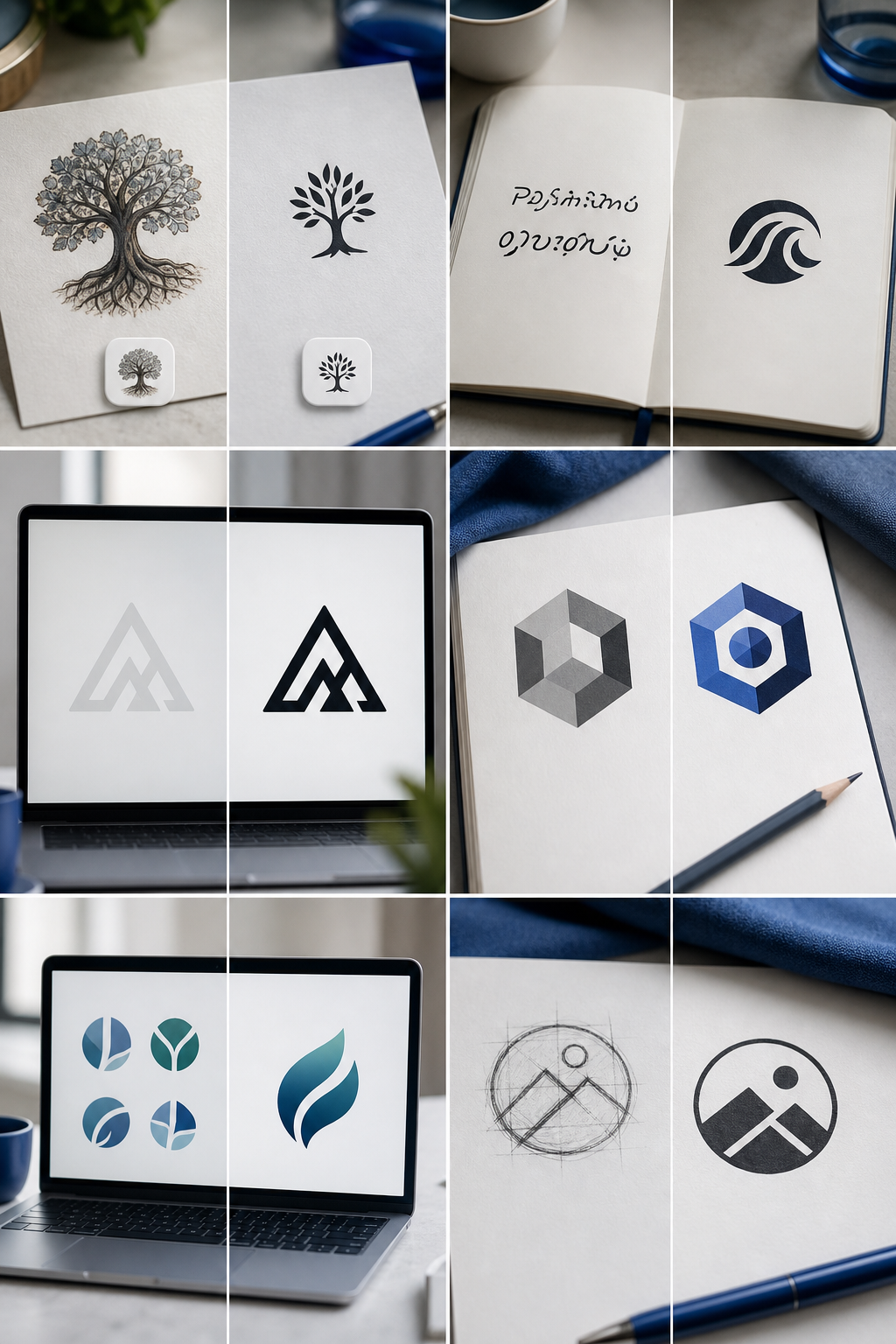
Run this checklist before declaring a logo final. Each item references the work covered above. Print it, paste it into Notion, whatever keeps you accountable — but don't ship a logo that fails any of these checks.

- Tested at 16×16, 32×32, 180×180, and 1024×1024. This confirms legibility across favicon, app icon, and hero contexts. If the mark fails at any size your customers will encounter, simplify before shipping.
- Ran the final logo through USPTO TESS. A search at tmsearch.uspto.gov for word and design mark conflicts in your category takes about twenty minutes and surfaces the most common collisions.
- Ran a WIPO Global Brand Database search. If you're launching beyond a single market, run the WIPO database for international conflicts. Skipping this is how brands discover prior art in EU or APAC markets after launch.
- Conducted a Google reverse image search on the final PNG. Trademark databases miss unregistered marks and visual look-alikes that haven't been filed. Reverse image search catches those.
- Verified WCAG contrast ratios. Check 4.5:1 for normal use and 3:1 for large applications against your three most-used background colors using WebAIM's contrast checker. Adjust the palette before locking.
- Rendered light-background and dark-background versions. You will need both within the first month — for dark-mode sites, dark social platforms, and print-on-light merchandise. Save both as separate, named export files.
- Confirmed an SVG vector master file exists. Not just a PNG. Use Logo Diffusion's vectorize feature or Illustrator's Image Trace if your AI tool only outputs raster. Without SVG, every future use case requires a re-vectorization.
- Exported the full format stack. SVG (master), PNG with transparency (web and UI), 300dpi PNG or TIFF (print). Name files clearly. Future-you and any contractor you hire will thank present-you.
- Dropped the logo into three real mockup contexts. Website header, social avatar circle crop, business card. Approval inside a 1024×1024 preview pane is not approval — approval is the mark holding up in the contexts where it will actually live.
- Confirmed brand-name typography is set in a real typeface. Not AI-rendered inside the mark. License the typeface you're using or pick a properly licensed open-source equivalent. Get this wrong and you're rebuilding the wordmark later.
- Documented the final prompt and tool used. You'll need to generate sub-marks, seasonal variants, social cover art, and event branding in the same visual language. Save the prompt as a reference document. Consistency across future assets depends on it.
- Decided your refinement path. Ship as-is, or send to a freelance designer for $150 to $500 of cleanup that strengthens both distinctiveness and copyright posture. Either choice is valid. Not deciding is the problem.
The same operating principle that works here — pick the right AI tool, prompt it precisely, iterate with discipline, verify legally — is how lean founders compound advantage across every function. Logo today, content tomorrow, full brand presence by quarter-end. The founders who learn how to use AI to make logos with this much rigor are the same ones who win every other AI-leveraged function in their business.